I Vibe-Coded a Whole Website With AI Agents: What Worked and What Didn’t
By Luke O'Regan
Published
I have used AI for years, but always with my hands on the wheel. My usual workflow is Cursor, where I write, the model suggests and I read every change.1 For the Szandra Tóth Makeup website I did something different. I set up the repository in Cursor, then handed the build to Hermes Agent,11 which did the real building while I mostly stayed out of its way. It was the first site I had properly vibe-coded.
Strictly, vibe coding means describing what you want in plain language and letting the AI produce the code.2 I did read the results, so I was never fully hands-off, but I wrote almost none of the code myself. The speed was the real surprise: a few hours from the first plan to a site with every page working, and a Lighthouse performance score of 100 once it was finished. The result was better than I expected. It also went wrong in enough places that I would not have trusted it alone.
What I built (but didn’t build)
Szandra Tóth Makeup is a portfolio site for a makeup artist. It ran on WordPress at Hostinger, and I wanted a faster static SvelteKit site that looked like the original. Every page is prerendered at build time,3 and the site runs on Cloudflare Workers.4 The old WordPress install stays in place as a rollback.
I say “I built” because I started the repository and wrote the brief. Hermes Agent wrote the code. That is the odd part of working this way: the site exists because of me, and I barely touched it.
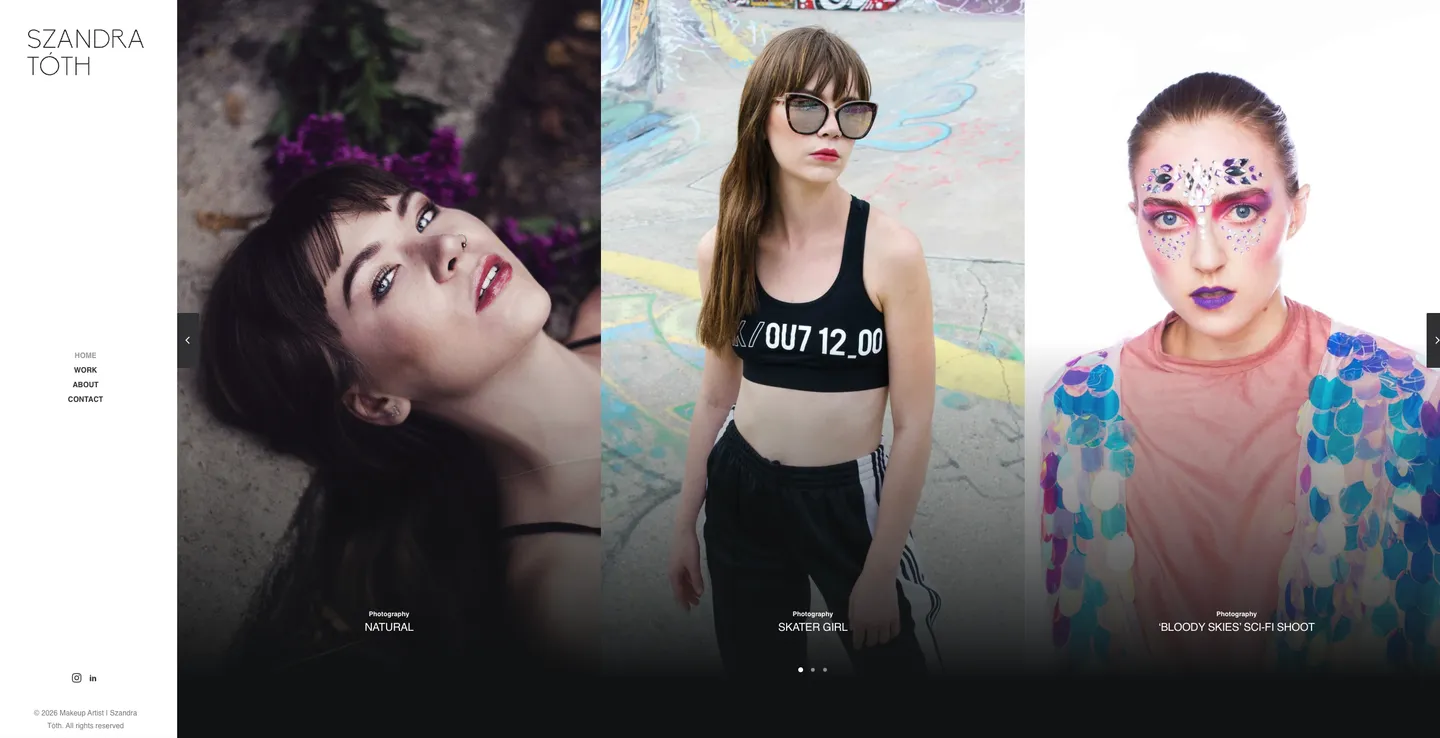
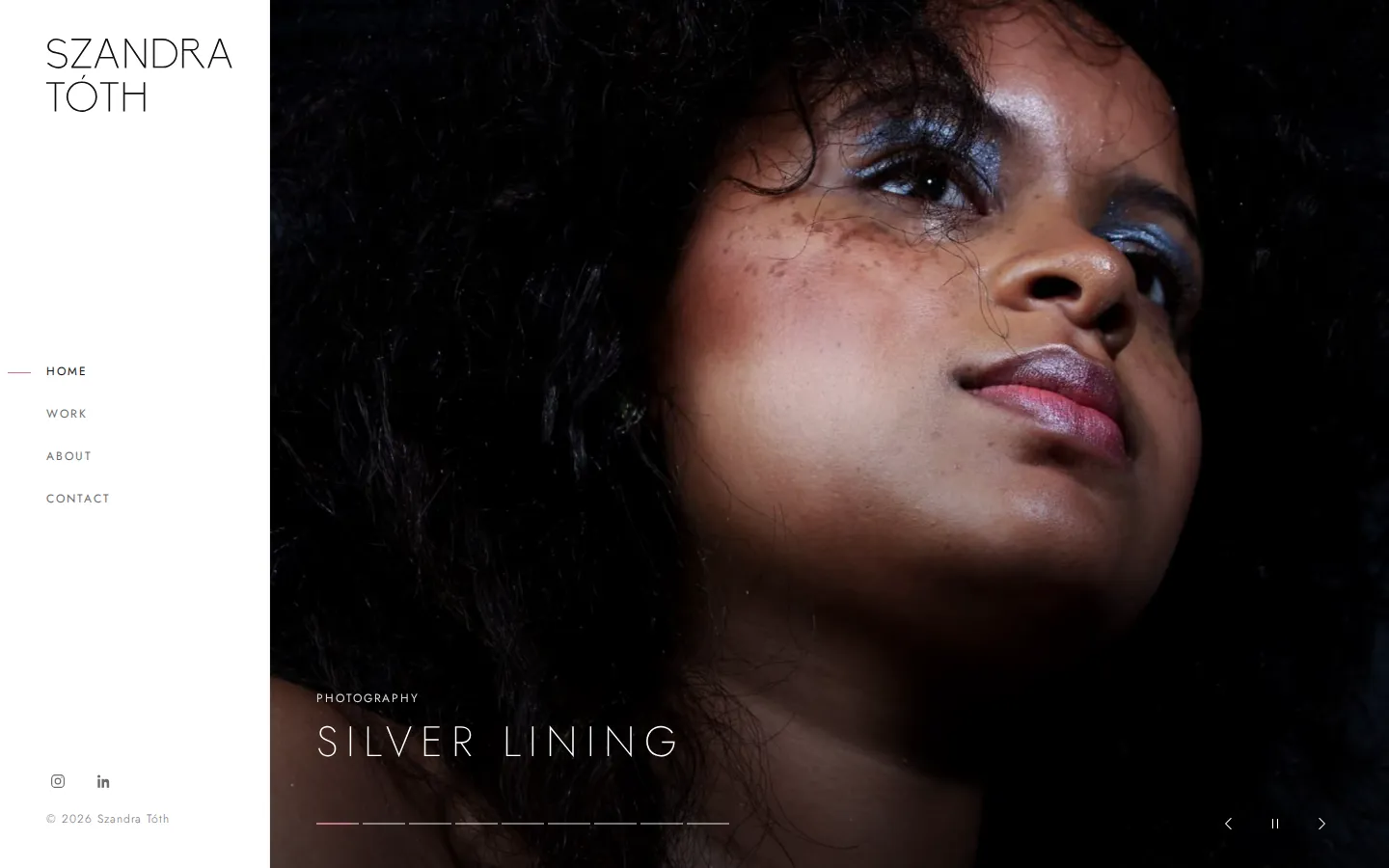
This was a personal project, with no client quote and no deadline, which made it a safe place to experiment.
How the build worked
Cursor got the project started, but Hermes Agent was the main builder. It runs on my home server. I gave it each job as a card with a clear goal: page transitions, an intro animation, the Cloudflare adapter, image handling. Its engineering agent picked up a card, did the work and handed it back for me to check. The coding models were Grok5 plus whatever Hermes chose on the server.
That is the change from my Cursor days. In Cursor I am in the loop on every edit. Here I wrote the brief, read the result and decided whether it was good enough, which felt closer to managing a contractor than pair programming.
How long it took
The timings come from the repository history. We started with a plan on a Friday evening. Within a couple of hours the shell, the home carousel and the work grid were in. Within a few hours every page had a real gallery, with a lightbox, About, Contact and 404 pages, per-page SEO, social cards and redirects. That is a few hours from the first plan to a site with every page working.
That speed is the part I keep coming back to. In the past this would never have happened. Building a portfolio site with galleries, a lightbox, SEO and redirects by hand was not something I would have expected to finish in an evening. I have not timed myself doing it the old way, so I will not put a number on the difference, but it is not close.
The polish took longer, and it was spread over Saturday: a nine-slide home carousel, page transitions, the intro animation, the move to the Cloudflare adapter, the image script and the Markdown version of each page. The last change landed on Saturday evening. That is elapsed time, not hours at the keyboard.
The first attempt was off theme
The first build looked wrong. It was a competent SvelteKit site that did not feel like the original, and for a makeup artist the mood of the portfolio matters a lot. It came out generic.
That may be my fault. My brief described the structure of the old site far better than its feel. When I gave the agents the actual pages and photography to work from, the result got much closer. The model builds what you describe, and mood is hard to describe.
The image problem
The bigger hiccup was images. A portfolio is mostly photographs, and the originals are large. Resizing and converting them during every build pushed a cold build past eight minutes.
I had to step in. The fix was a script that generates the AVIF and WebP versions ahead of time,6 with the output committed to the repo so the normal build skips the work. A cold build now takes about five seconds, and the generated images add up to roughly 23 MB.
An agent will happily leave something slow if it still works. Deciding that eight minutes was too long, and where that cost should sit instead, was my call.
The performance payoff
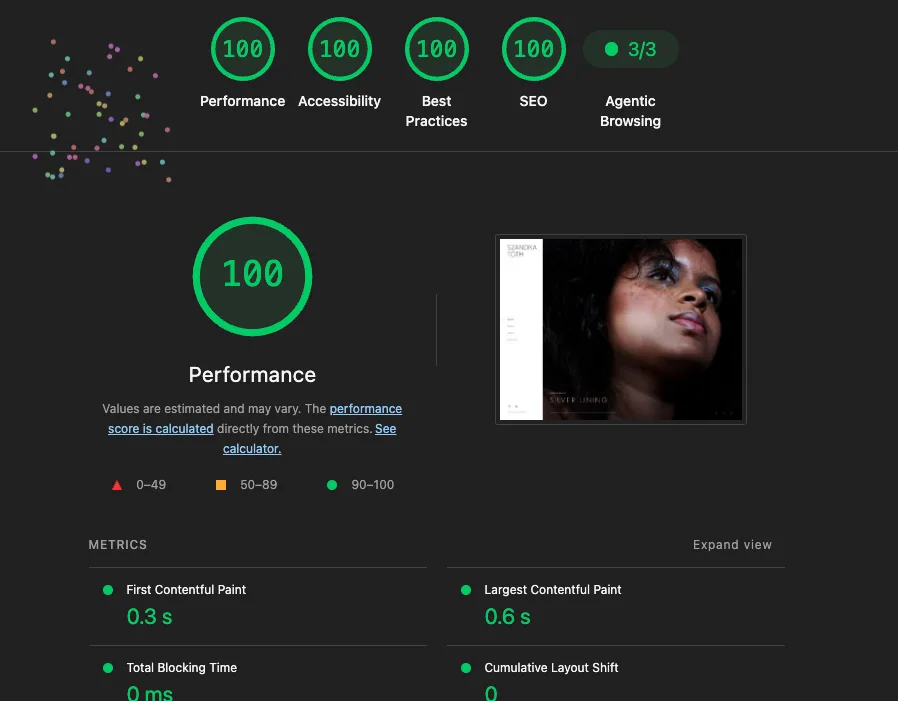
Speed was the point of the rebuild, so I measured it. I ran Lighthouse, Google’s open-source auditing tool,7 against the finished home page. It scored 100 for performance, accessibility, best practices and SEO. First Contentful Paint was 0.3 seconds, Largest Contentful Paint 0.6 seconds, Total Blocking Time 0 ms and Cumulative Layout Shift 0. Lighthouse says these values are estimates and may vary, so treat them as a snapshot.
Smaller hiccups
Two more problems came up:
- The site has a first-visit intro overlay, and at one point it interfered with navigation. The fix was in how the component removes itself.
- On a handful of slides the agents picked a different hero photo from the one the old WordPress site used. Small, but a photographer notices straight away.
A bonus: making it readable by AI agents
Since I was already working with agents, I added two things for AI crawlers. The site returns a Markdown version of a page when a client asks for one, using the approach Cloudflare calls Markdown for Agents.8 The robots.txt file also carries a Content Signal that allows search and AI answers but not AI training.9 I would rather the photography stayed out of training data. Lighthouse’s newer Agentic Browsing category, which checks how well a site is built for machine interaction, shows 3 out of 3.10
Would I do it again?
Yes. Cloning an existing site into a modern static build is a well-defined job, and the agents handled it quickly and followed the original closely. It took me far less time than writing it by hand. Having every page working in a few hours is something that would not have happened in the past.
The parts that needed me were the look and feel, the build-time trade-off and the final check on the photos. Cursor stays for work where I want to understand every line. For a well-scoped job with a clear target, I will brief Hermes Agent again and read what comes back.
Sources
- Cursor, the AI coding agent, Anysphere
- What is vibe coding?, IBM
- Page options (prerender), SvelteKit documentation
- Cloudflare Workers overview, Cloudflare documentation
- Grok, xAI
- Choose the right image format, web.dev
- Introduction to Lighthouse, Chrome for Developers
- Introducing Markdown for Agents, Cloudflare Blog
- Content Signals, contentsignals.org
- Lighthouse agentic browsing scoring, Chrome for Developers
- Hermes Agent documentation, Nous Research